If you’ve ever walked past an office supply aisle or stared at a crumpled, coffee-stained poster that could have lasted years if only it had a little extra protection, you’ve probably wondered how thermal lamination works. As a supplier of thermal lamination film, I get asked this question at least three times a week: “Can you walk me through using a laminating machine and your film correctly?” Most people think it’s just feed, press, done—but skip a few key steps, and you’re left with bubbly, wrinkled, or mismatched lamination that’s worse than not doing it at all. Let’s break this down like I’d explain it to a new intern, no fancy jargon, just the steps that actually work and the mistakes I see everyone make. Thermal Lamination Film
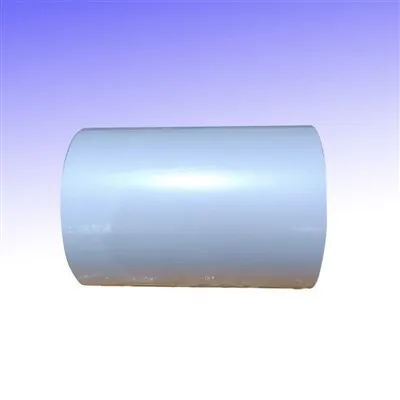
First, let’s get one thing straight: thermal lamination film isn’t a one-size-fits-all product. I once had a customer call me in a panic because he’d used 3 mil film to laminate a 10-page recipe binder, and it was so stiff he could barely bend it. I sent him 5 mil film for heavy-duty projects the next day, and he hasn’t looked back. The first rule of using thermal lamination film with a laminating machine is matching the film thickness to your project. Here’s the quick cheat sheet I keep taped to my desk: 1 to 3 mil is for single documents, posters, or kids’ art that you want to stay flexible but protected; 5 to 7 mil is for book covers, binder spines, or anything that will get heavy daily use, like ID badges or menus; 10 mil and above is for industrial projects, like blueprints or outdoor signs that need to handle rain or sun. And before you ask—no, you can use cold lamination on a thermal laminator. It’s a total waste of both the film and the machine, because thermal film is designed to melt and bond when heated, while cold film uses pressure alone. Save that for when you don’t have a laminator.
Next, prepping your materials is non-negotiable, and this is where 80% of lamination fails. I can’t tell you how many times I see people grab a sheet of paper, slap it into the film, and shove it in the machine, only to get a wrinkled mess from dust, creases, or even static. Let’s start with the document itself: if it has any tears, tape over them with acid-free tape before lamination. Ordinary masking tape will turn yellow and brittle in a year, and acid-free tape keeps your document looking good for decades. Then, cut your thermal lamination film to size—leave a 1/8 to 1/4 inch border around all edges of your document. Too narrow, and the film will peel off the edges in a few weeks; too wide, and you’ll have extra excess that’s hard to trim. And here’s a pro tip from my team: wipe both the front and back of your document and the film with a lint-free microfiber cloth before feeding. Even a tiny dust speck between the document and film will turn into a bubble once the machine heats up, and there’s no way to fix it after lamination.
Wait, let’s talk about the laminator itself, because even the best film won’t work with a half-used machine. Most people forget to preheat their laminator. I once had a customer rush a 100-document order, feed the film before the machine beeped, and ended up with half the documents unlaminated because the rollers weren’t hot enough. How long should you preheat? For home or office laminators (the ones that fit on a desk), it takes 3 to 5 minutes. For heavy-duty commercial machines, it’s 8 to 10 minutes. Most machines have a light that changes color when they’re ready—wait for that. Also, make sure the rollers are clean. If you notice old laminated residue or gunk on the rollers, run a blank pouch of film through the machine to clear it before starting. Feeding a dirty laminator is like running your clothes through a washer with a dirty load in it—you’re gonna mess up your new stuff.
Now, the actual feeding step, and this is where I’ve seen the most frustrating mistakes. Thermal lamination film comes in two types: pouches and rolls. Pouches are the pre-cut, single-document ones you see at the store, while roll film is for larger projects or bulk orders, and it’s what most small businesses and teachers use for multiple items. Let’s cover both. For pouches: the sealed edge goes first. That’s the edge where the film is glued together, right? If you feed it with the open edge first, the film will peel apart inside the machine, and you’ll end up with a half-laminated, sticky mess. For roll film: make sure you’re cutting the right length. Leave about 2 inches of extra film on each end of your document to make trimming easy later, and always cut the film straight—crooked edges make feeding uneven, which causes wrinkles. When feeding, hold the edges of the film steady, don’t push it too hard or too soft. Let the machine pull it in on its own. If you force it, you’ll jam the rollers, and that’s a whole other headache of taking the machine apart to get the film out. I once had a customer force a thick roll through a home laminator and break the gear—cost him more than a new laminator, just because he was in a hurry.
Once the film is through the machine, let it cool. That’s another mistake everyone makes. Right after it comes out hot, you touch it to trim the edges, and it’s not fully bonded yet. Thermal film needs about 2 minutes to set and harden. If you trim it too early, the edges will peel, and your document will be unprotected. After it’s cool, use a sharp pair of scissors or a paper trimmer to cut the excess film around the edges. Trim as close to the document as you can without cutting the paper itself—again, that 1/8 inch border I mentioned earlier is perfect for this.
Now, let’s talk about common mistakes I see all the time, because even if you follow the steps, a tiny slip can ruin the job. First, overloading the laminator. Each machine has a maximum thickness it can handle—usually 5 to 10 mil. If you try to feed two documents at once, or a document that’s too thick, you’ll jam the rollers, just like I said before. Second, using thermal film on inkjet prints that aren’t dry. Inkjet ink is water-based, and if you feed a wet print into a laminator, the heat will make the ink smudge and run. Let inkjet prints dry for at least 24 hours before lamination, and if you’re in a hurry, use a quick-dry spray. Laser prints are fine—they dry instantly, so no problem there. Third, storing your thermal film in a hot or humid place. If you leave the film in a garage or a storage unit where the temperature goes above 80 degrees Fahrenheit, the film will start to melt inside the packaging, and it won’t bond properly. Keep it in a cool, dry cabinet, and check the expiration date—thermal film lasts about two years if stored correctly, but once it’s expired, it loses its adhesive quality.
I’ve been supplying thermal lamination film for over 12 years, and I’ve worked with everyone from teachers laminating spelling tests to construction companies laminating blueprints for job sites. One of my favorite customers is a small café that laminates their menu every month because it gets splashed with coffee, soda, and syrup. They use 5 mil roll film, and it holds up for six months before they have to replace it. Another is a elementary school that laminates hundreds of art projects every month for a yearly art show—they use 3 mil pouches because it’s flexible enough to hand to kids without being too stiff, and it protects the art from dust and damage.
The best part about thermal lamination is that it’s affordable, easy to use, and gives your documents, art, or posters a permanent, polished look. But it only works if you take the time to do it right. You don’t need a fancy, $10,000 commercial laminator—most home and office models work great as long as you follow the steps. You just need to pick the right film, prep your materials properly, let the machine preheat, feed the film correctly, and give it time to cool. If you skip even one of those steps, you’re wasting time, money, and good film.
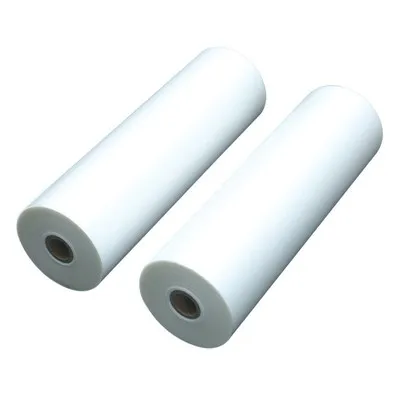
If you’re just starting out and not sure what film or laminator is right for your project, I’m here to help. I work with small businesses, schools, and individuals to figure out the perfect setup, no matter how big or small your needs are. Whether you need a single roll of film for a home project or bulk film for a large organization, I can provide high-quality, reliable thermal lamination film that works with any laminator. Reach out to my team to learn more, or to place an order that fits your exact needs.
Small Roll Laminating Film References:
- “Lamination Best Practices for Office and Professional Environments,” Specialty Print Communications Association, 2021.
- “Thermal Lamination Film: Material Science and Application Guidelines,” Journal of Applied Printing and Packaging Technology, Vol. 7, No. 2, 2019.
- “Maintenance and Operation of Desktop Laminators,” Office Technology Manufacturers Association, 2022.
Yantai Hongqing Packing Material Co., Ltd.
Yantai Hongqing Packing Material Co., Ltd. is one of the most professional thermal lamination film manufacturers and suppliers in China, also supports customized service. Welcome to wholesale advanced thermal lamination film made in China here and get quotation from our factory. Quality products and reasonable price are available.
Address: Eastern Industrial Park, Taocun, Yantai, Shandong Province, China
E-mail: cindy@ythongguang.cn
WebSite: https://www.hqingnewmat.com/
